From Generator to Editor: Introducing Timeline View
Reverie ships Timeline View, transforming AI video generation from clip-making to full film editing with scrubbing, trimming, and audio layering.
The Gap Between Clips and Films
Most AI video tools generate clips. Reverie now lets you build films.
There's a fundamental difference between the two. A clip is a isolated moment—five seconds of generated footage, impressive in isolation but disconnected from everything else you've created. It's like a single ingredient sitting on a counter. A timeline is a complete film: clips arranged in sequence, trimmed to precision, layered with audio, with energy that builds and releases. It's the difference between ingredients and a finished meal.
We shipped Timeline View because our users weren't asking for better clip generation. They were asking for something harder: a way to see the whole film. To scrub through it. To feel whether it actually worked.
What Timeline View Does
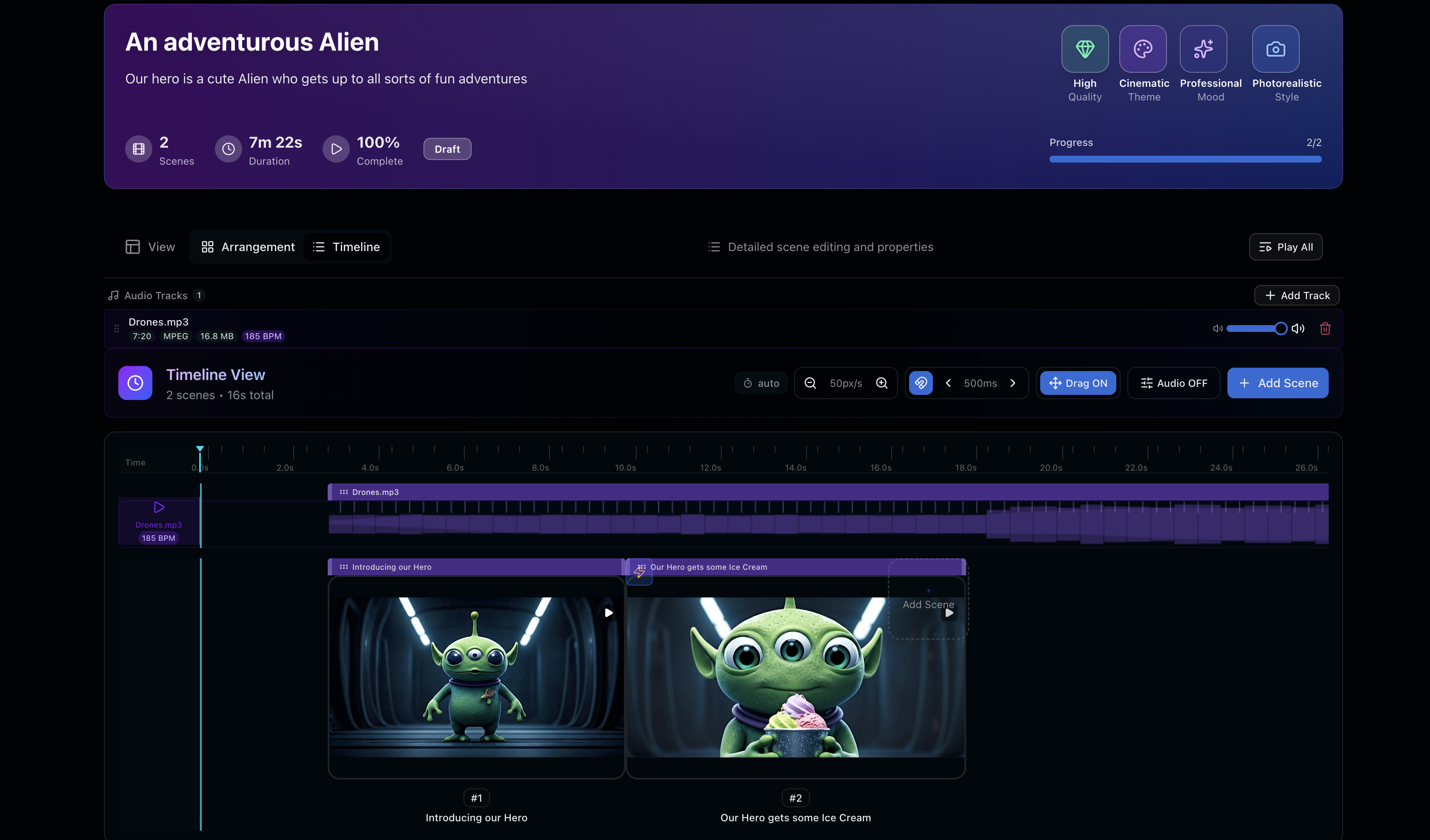
Timeline View transforms how you work with generated video. Instead of staring at a grid of thumbnails, you now see your film as a sequence:
- Drag and reorder clips to restructure your film in real time
- Trim the edges of each clip with frame-level precision
- Drop in audio tracks and sync them to your visuals
- Scrub through your complete film to see pacing, rhythm, and emotional arc
- Preview the full sequence before exporting
Each of these sounds simple. Together, they shift Reverie from a generator into an editor.
Why This Took Time
Building Timeline View properly has taken longer than any other single feature we've shipped. That's intentional.
UI for video editing is deceptively hard. Scrubbing performance matters. Trimming needs to feel responsive. Audio sync can't drift. The interaction model has to be intuitive enough that someone who's never used a timeline can figure it out in seconds, but powerful enough for people building complex sequences.
We could have shipped something faster. We didn't. The extra time was worth it because this feature changes how the tool feels—from a toy that makes clips into a real creative instrument.
What's Next
Timeline View is the foundation for everything we're building next. Transitions. Color grading. More sophisticated audio controls. Visual effects stacking. All of it becomes possible because we now have a proper timeline under the hood.
We're also listening closely to how filmmakers are using it. Early feedback is shaping what we prioritize next, and we're excited about where this is heading.
Start Building Your Film
If you've been waiting for AI video tools to feel like real filmmaking tools, now's the time to try Reverie. Sign up and get 300 free credits to start building—no card required. Head to reveriemovies.com to get started.