Timeline View: From AI Generator to Film Editor
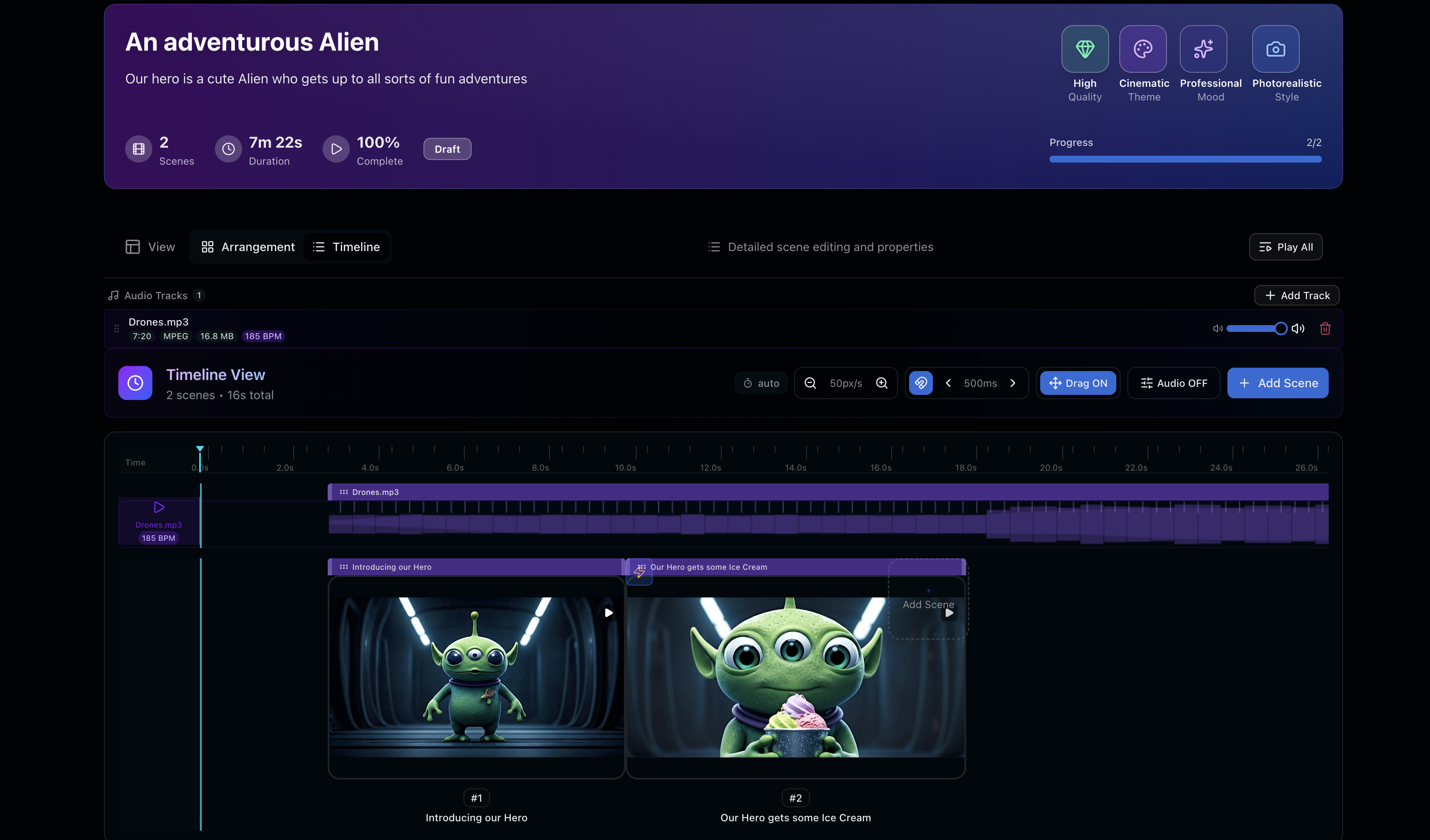
Reverie ships Timeline View, transforming the platform from a clip generator into a true nonlinear editor where you can see, trim, and arrange your entire film.
Most AI video tools generate clips. Reverie now lets you edit films.
There's a fundamental difference between the two, and it changes everything about how creators work.
What's the Difference Between a Clip and a Timeline?
A clip is a moment—5 seconds of generated footage. It's impressive in isolation, shareable as a standalone piece, but ultimately disposable. It exists in a vacuum, disconnected from the broader vision you're building.
A timeline is a film. It's clips arranged in intentional sequence, trimmed with precision, layered with audio, with energy that builds and releases. It's the difference between a collection of raw ingredients scattered on a counter and a finished meal plated and ready to serve.
This distinction isn't semantic. It fundamentally changes how creators think about their work.
Why Timeline View Matters
We didn't build Timeline View because we thought it would be cool. We built it because our users demanded it.
People using Reverie weren't asking for better individual clips. They were asking for a way to see the whole film—to understand how their generated footage worked together as a coherent narrative, not just as isolated moments.
Timeline View answers that need directly.
What You Can Do Now
With Timeline View, your workflow transforms:
- Drag and reorder clips to experiment with different narrative sequences
- Trim edges with frame precision, cutting away the parts that don't work
- Layer audio tracks that sync to your visual rhythm
- Preview as a sequence instead of browsing a grid of thumbnails
- See your energy rise and fall across the full runtime
You're no longer using a generator. You're using an editor.
The Long Build
Building Timeline View properly took longer than any other single feature we've shipped. That was intentional.
Nonlinear editing is hard. Especially when the clips themselves are AI-generated and can be regenerated, reordered, and extended. We had to think carefully about performance, about how to handle real-time scrubbing through video, about preserving your edits while giving you the freedom to regenerate and replace content.
It would have been faster to ship something half-baked. It wouldn't have been worth it.
What's Next
This is the foundation. With Timeline View live, we're now able to build export workflows, more sophisticated audio syncing, and deeper integration with your existing editing software. But first, we wanted to make sure the core experience—seeing your film as a film—was absolutely right.
It is.
See It in Action
Ready to think about your AI video work differently? Head over to Reverie and try Timeline View yourself. New users get 300 free credits to start building.