Introducing Scene Planner: The View That Changes How You Direct
Reverie's new Scene Planner gives filmmakers a top-down overview of their entire production, transforming how multi-scene projects are structured and planned.
The Problem With Blank Canvases
For years, filmmaking tools have asked you to start with nothing. You open a blank project, import some footage, and figure out the structure as you go. It's fine for quick clips—30 seconds, maybe 60. You can improvise your way through.
But the moment you're building something real—something with multiple scenes, character continuity, narrative momentum—that blank canvas becomes a maze. You're lost in the details before you ever see the shape of the whole thing.
The Scene Planner Difference
We built Scene Planner to solve this. It's a top-down view of your entire production—your film laid out before you've rendered a single frame.
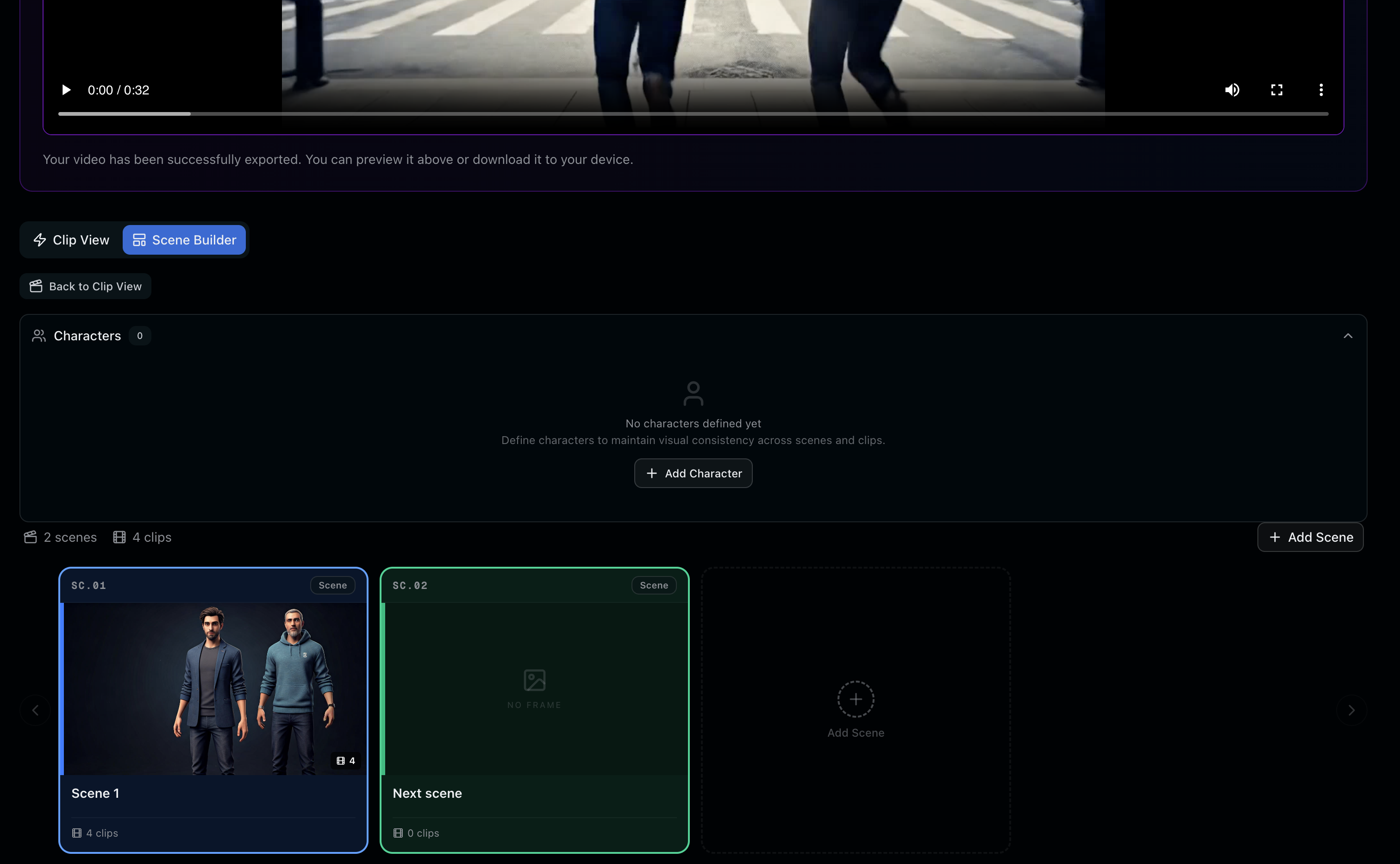
Instead of jumping between clips and timeline views, you now get structure first. You can:
- Map out scenes — organize your story beats visually
- Arrange shots — see how each moment connects to the next
- Drag and place — reorder clips and sequences on the fly
- Plan before rendering — lock your structure before you commit to edits
Directing vs. Improvising
There's a fundamental difference between the two. Improvising means reacting to what you have. Directing means knowing what you're building and executing with intention.
Scene Planner tips you toward the latter. When you can see your entire film at once—all your scenes, all your shots, how they relate to each other—you make better decisions. Pacing problems reveal themselves. Gaps in your narrative become obvious. Character arcs get clearer.
You're no longer solving the puzzle as you build it. You're directing the film you imagined.
Who This Is For
If you're making anything longer than a 60-second clip, Scene Planner is where you'll spend most of your time. If you're working from a real storyboard or shot list, this is your workspace.
This is for people building stories—not just assembling footage. It's for filmmakers who want structure before style, and clarity before rendering.
See It In Action
Head to reveriemovies.com and try Scene Planner in your next project. New users get 300 free credits to explore it fully. Start by mapping a multi-scene story—you'll feel the difference immediately.
This is what building in public looks like: we listen to what filmmakers actually need, and we ship the tools that solve real problems. Scene Planner is proof of that.