Introducing Play All: Preview Your Entire Film Before Spending Credits
We launched Play All to let you preview your complete timeline with audio sync before export—eliminating wasted render credits on pacing checks.
The Problem We Stopped Accepting
Exporting your film just to check if the pacing works is like paying for a dress fitting every time you try something on. It costs credits you'll never get back, and it's a workflow tax that shouldn't exist in 2024.
We built Reverie to make AI film creation faster and smarter. But if creators were burning render time just to answer basic questions about timing and flow, we weren't actually saving them anything.
Why Single-Clip Previews Don't Cut It
Early versions of Reverie let you preview one clip at a time. On paper, that sounds complete. In practice, it's useless for the actual work of editing.
Pacing problems don't exist in isolation. A shot that feels perfectly timed on its own can suddenly feel ten seconds too long the moment it sits next to the previous clip. The problem isn't the shot—it's the context. And you can't see context by watching one thing at a time.
Creators started telling us they were exporting full sequences just to get a real sense of how their edits flowed together. That feedback loop became painful: check pacing → export → wait → render → check result → repeat. Every cycle ate into their credit balance.
How Play All Changes the Game
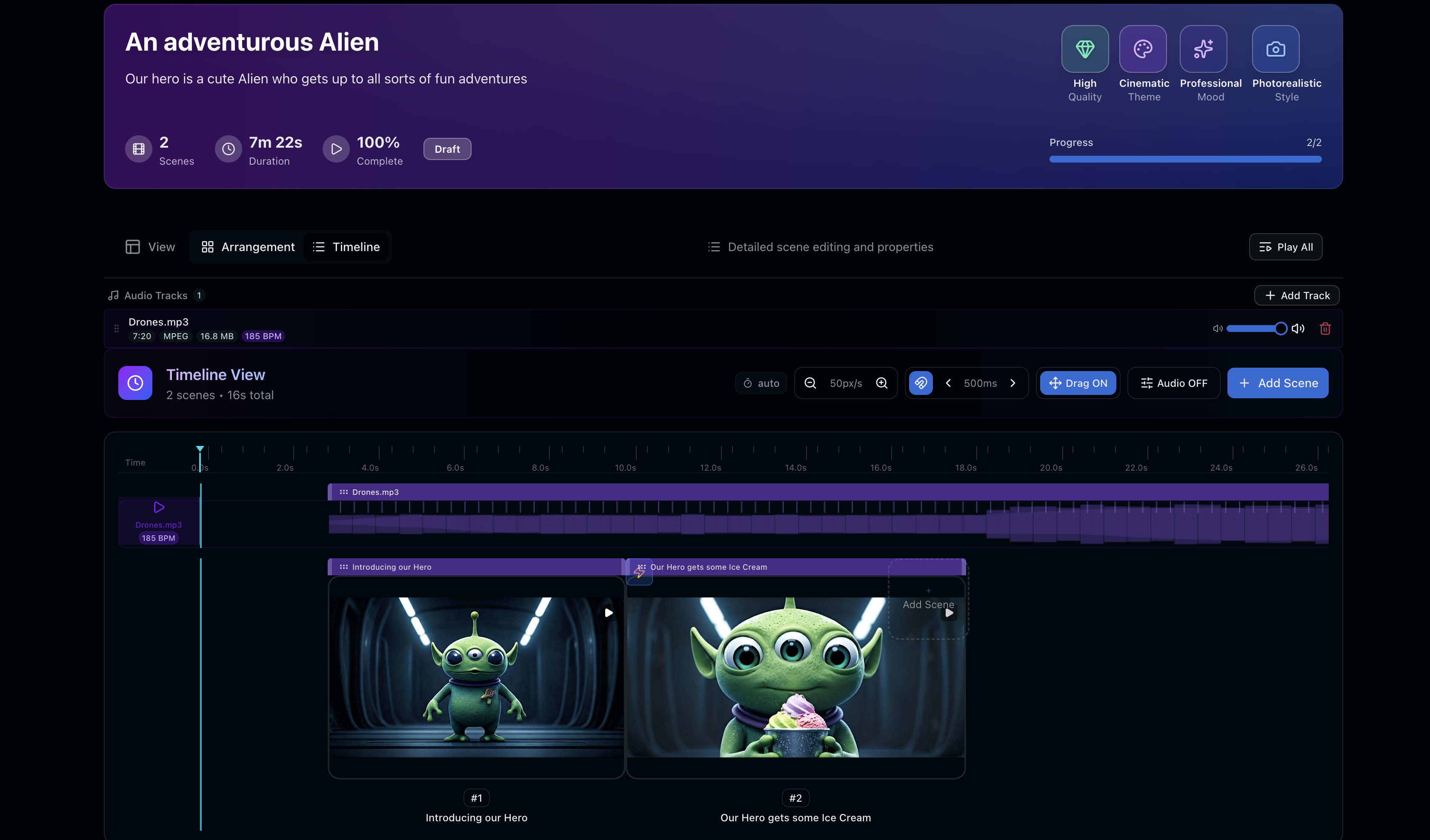
Play All stitches your entire timeline together and plays it back end-to-end, complete with audio sync. You see your film exactly the way an audience will experience it—before you commit a single credit to render.
The feature includes:
- Full timeline playback with all clips sequenced together
- Real-time audio sync so you catch pacing against your actual soundtrack
- No export needed to preview—instant feedback loop
- Free to use — no render credits consumed during preview
It's a simple idea executed precisely where it matters: at the moment of decision.
What It Actually Solves
Play All won't catch a technically bad shot on its own. We're not claiming magic here.
What it does catch is something harder and more common: shots that are bad in context. A cut that doesn't land because of what comes before it. A pause that reads as dead air when it follows a slower scene. Transitions that feel jarring only once you see the whole sequence.
These are the problems that kill pacing, and they're invisible until you play the full timeline.
What's Next
We're building this in public because filmmaking workflows should be fast enough to match your creative instincts. Every feature we ship is built on creator feedback about what's actually slowing them down.
If you're working on pacing, timing, or sequencing challenges, Play All is ready to use right now inside the editor. No new workflow. Just smarter preview.
Try It Today
Head to https://reveriemovies.com?utm_source=blog&utm_medium=updates&utm_campaign=play-all-preview-feature and start previewing your films end-to-end. New users get 300 free credits to explore—enough to test Play All and see how it changes your editing loop.