Enhance Clip: Finishing Your AI Films in One Place
Reverie's new Enhance Clip feature solves the fragmented post-production workflow by combining lip-sync, sound design, and restyle in a single timeline pass.
After you generate a clip with AI, the real work begins. The audio doesn't quite match the dialogue. The visual style drifts from shot to shot. The lip-sync is off by a frame or two. Every filmmaker using AI tools today faces this same wall: three separate problems that feel like they should have one solution.
But they don't—not yet. Every workflow I've seen treats finishing as a fragmented nightmare. You export from your AI tool. Open Premiere, DaVinci, or another suite. Adjust the audio. Import it back. Export again. Tweak the style in yet another tool. By the time you've fixed all three issues, you've context-switched so many times that you've lost the thread of what you were actually making.
That friction kills momentum. It kills creativity. And it shouldn't exist.
The Problem with Today's Workflows
AI clip generation is getting really good. The hard part isn't making clips anymore—it's finishing them.
Traditional post-production has always been iterative, but the tool sprawl was tolerable because you were working with footage shot over weeks. You could afford the friction. With AI, you're generating clips at the speed of thought. That changes everything.
When you have to leave your timeline, context-switch between applications, and reimport just to fix lip-sync or add sound, you break the creative flow. The tool becomes the bottleneck, not your imagination.
Introducing Enhance Clip
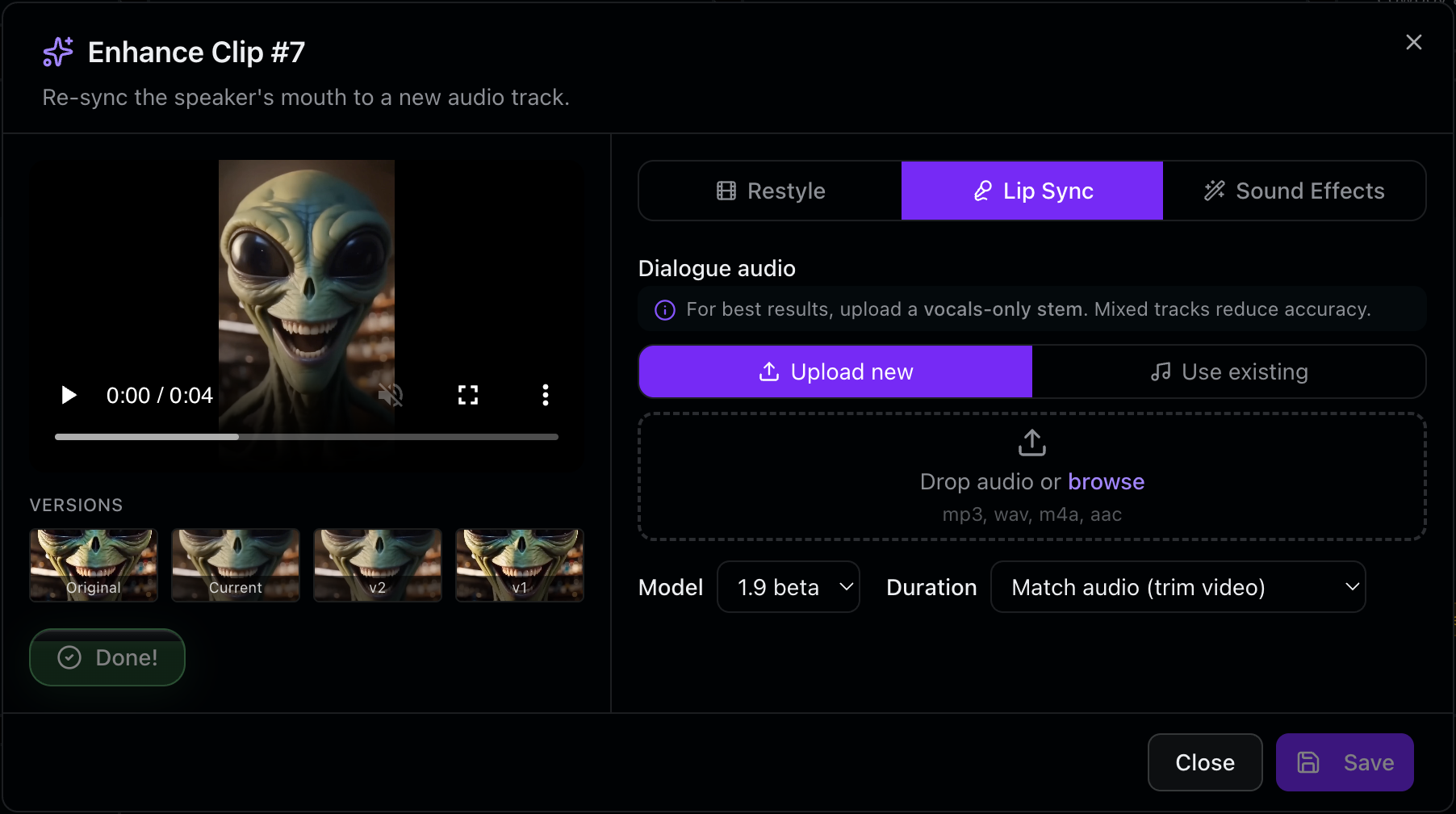
We're solving this by bringing the finishing tools into the timeline. Enhance Clip puts all three problems in one place:
- Lip-Sync Adjustment — Fix dialogue alignment without exporting. Realign your audio to the video in seconds, not sessions.
- Sound Design — Layer in sound effects and ambient audio directly in the timeline. No round-tripping through your DAW.
- Restyle Video — Adjust the visual consistency and aesthetic without regenerating the entire clip. Keep the performance, refine the look.
You do it all in a single pass. You never leave the timeline. You stay in the creative state you were in when you generated the clip in the first place.
Why This Matters
Finishing is where AI filmmaking lives or dies. A perfectly generated clip with bad audio kills the whole take. Mismatched lip-sync breaks immersion. Inconsistent color grading makes your film feel sloppy, even if the core footage is brilliant.
For indie filmmakers and small creators, this workflow is the difference between shipping and stalling. It's the difference between a tool that feels like it's accelerating your work and one that feels like it's getting in the way.
We're focused on the hard part. The generating is solved. The finishing is what matters now.
What's Next
We're building in public. This is the start—not the finish. We're listening to how creators use Enhance Clip and what other finishing problems need solving. More tools, tighter integration, faster iteration.
If you've generated AI clips and hit these walls yourself, we want to hear about it. Your feedback shapes what we build next.
Try It Yourself
Enhance Clip is live now at Reverie Movies. Sign up and get 300 free credits to start finishing your clips the way you actually want to. No context-switching. No friction. Just your timeline, your creativity, and the tools you need to make it real.