Enhance Clip: Stop Regenerating, Start Refining
Enhance Clip lets you fix nearly-perfect shots without regenerating from scratch—treating close calls as refinements, not failures.
The Problem With Regeneration
You nail a shot. The framing is perfect. The actor's performance lands. The continuity matches. Then you notice one thing—a stray reflection, a lip-sync flub, a missing sound design detail—and the instinct kicks in: regenerate the whole thing.
That habit is expensive. Every time you roll the dice on a full regeneration, you risk losing the 90% that was already working. The near-miss becomes an all-or-nothing bet.
Introducing Enhance Clip
Enhance Clip changes how you think about almost-there takes. Instead of treating them as failures, we treat them as what they actually are—nearly done.
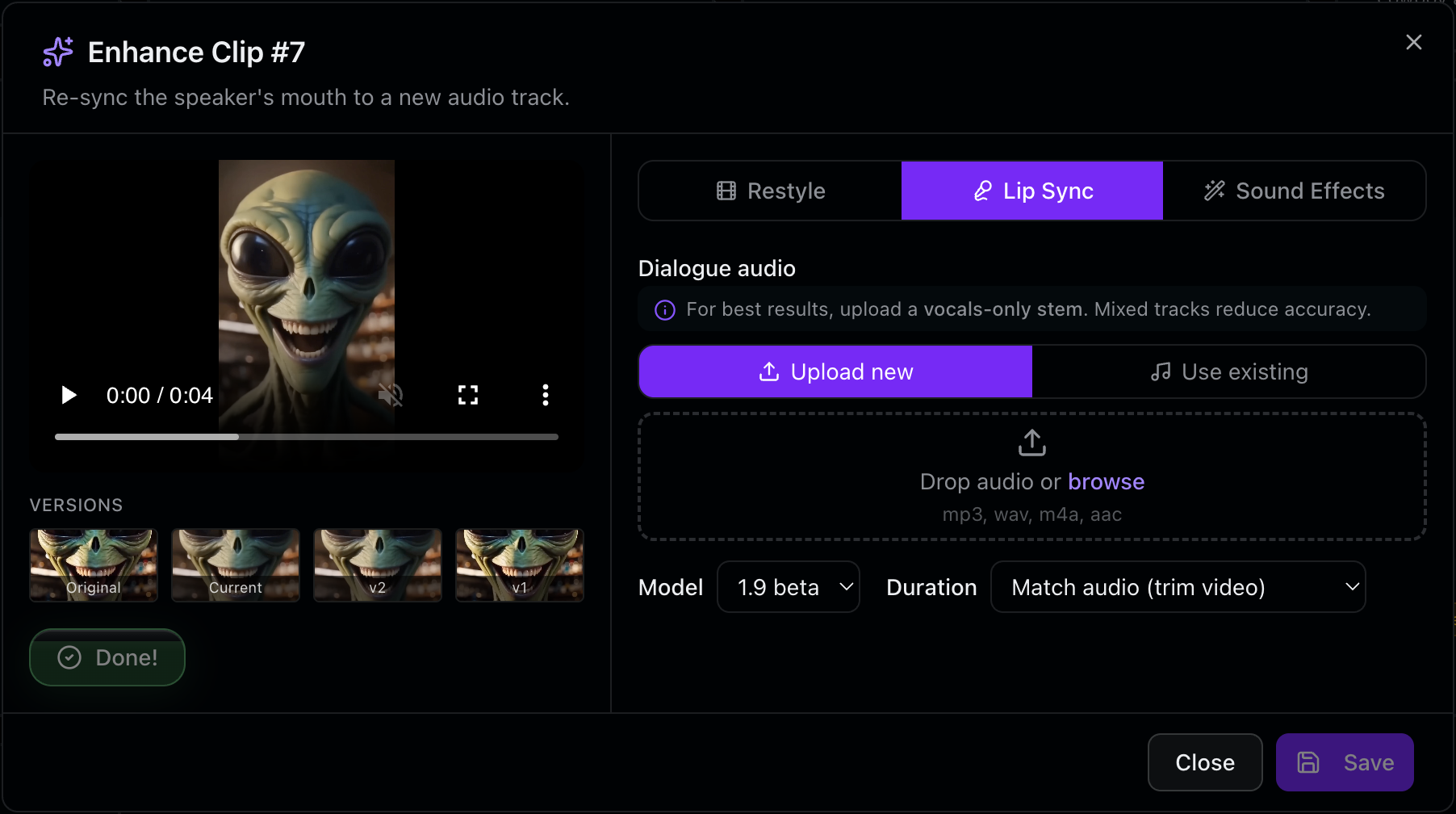
With Enhance Clip, you can:
- Restyle the look without touching performance or framing
- Lip-sync new dialogue to a shot you already approved
- Drop in sound effects or audio layers on the fly
- Run video-to-video on a locked shot for targeted refinement
Each of these operations keeps the composition, performance, and continuity intact. You're working on the last 10%, not betting the farm on the first 90%.
Why We Built It This Way
We kept Enhance Clip narrow on purpose. A precision tool beats a catch-all every time.
Enhance Clip cannot save a shot with the wrong composition. It cannot rescue a dead performance or fix broken continuity. It was not designed to be a band-aid for bad first attempts. If the foundation is wrong, you still need to go back to the drawing board—and that's okay.
What it does brilliantly is this: it removes the penalty for having a shot that was almost there. It lets you keep what works and fix what doesn't. That distinction matters, especially when render time and iteration cost are real constraints.
The Philosophy Behind It
This is how we think about tooling at Reverie. Constraints breed better products than blank canvases.
When you define what a tool is not supposed to do, it becomes better at what it is supposed to do. Enhance Clip is ruthlessly focused because filmmaking is not a one-tool problem. You need regeneration for bad takes. You need full restyle for new creative directions. But you also need precision refinement, and that's what was missing.
See It In Action
Enhance Clip is live now on Reverie. Start with a shot you're happy with and try one of the four enhancement paths. You'll spend less time regenerating and more time refining—which is exactly where the creative energy should go.
Head to https://reveriemovies.com?utm_source=blog&utm_medium=updates&utm_campaign=enhance-clip-stop-regenerating-start-refining to get started. New users get 300 free credits to explore Enhance Clip and all of Reverie's tools. Build something.